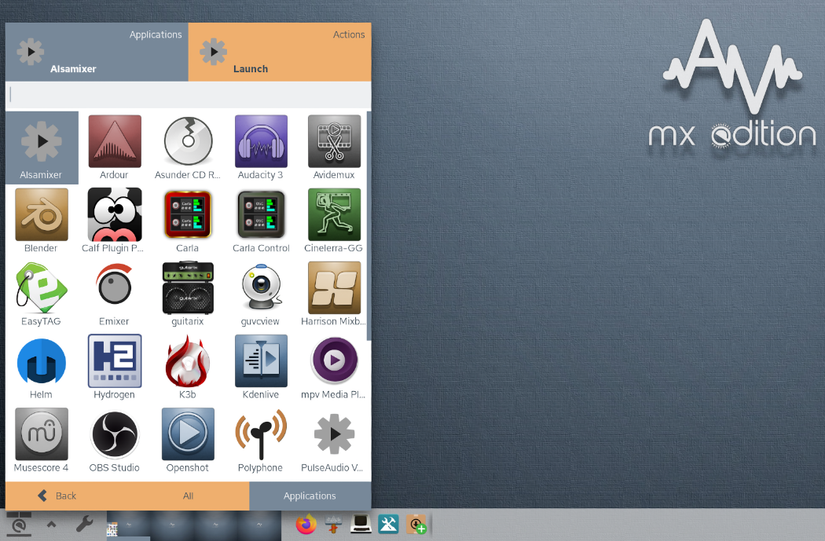
An increasing number of software projects are opting to distribute the latest versions of their software through self-contained bundled methods, two of the most popular formats are ‘AppImage’ and ‘Flatpak’. There are some specialized cases where these formats make sense: • The application is only available in AppImage format and is not Published or Packaged in a Debian Repository yet, or the latest source code is not readily available or easy to compile. • The application uses a completely different graphical or Desktop Environment than the host system uses, as an example using a single GTK-based App on a KDE System or vice-versa. • The application is encumbered by licensing or other restrictions that prevent it from being Distributable in more traditional Linux Packaging formats from a Repository. • You want the option to work with more than one version of a particular application, perhaps an older version is extremely stable and a newer version has less stability but new features. For the time being AVL-MXE provides five external applications in the AppImage format: Audacity, Avidemux, Cinelerra-GG Video Editor, Kdenlive Video Editor and MuseScore Sheet Music Scoring application. The reason for this is that all of these applications for one reason or another meet the criteria above, this is a new feature I’m trying out to get more recent application versions available for use on the Live -boot AVLMXE ISO and subsequent installs. Using Kdenlive Video Editor as an example in order to get the AppImage included in the AVL-MXE ISO build system I have formatted the AppImage applications into Debian ‘Deb’ Packages. Kdenlive will appear in the Debian Packaging Utilities (ie Synaptic, MXPI) as ‘kdenlive-appimage’ as will any and all other Packages that are derived from AppImages. This is only to integrate them into the ISO and none of the included AppImage applications will be upgraded through regular MX Linux repository updates. In the event that you want to update one of these AppImages you will want to use ‘Synaptic Package Manager’ to uninstall the existing Debian-Packaged version that came with AVL-MXE (ie ‘kdenlive-appimage’) and then download the newer updated AppImage from the Kdenlive or other relevant website and then use it as you would any other externally downloaded AppImage.



0 commenti:
Post a Comment